
Many website owners feel confused when they open their Google Analytics and see numbers under events. One of the most common questions is what event count in Google Analytics (GA4) is and why this number keeps increasing.
If you are new to GA4 or recently shifted from Universal Analytics, this detailed blog will help you understand everything in simple words.
You will clearly learn what event count means, how it works in GA4, and why it is important for tracking user activity on your website.
What Is Event Count in Google Analytics (GA4)?
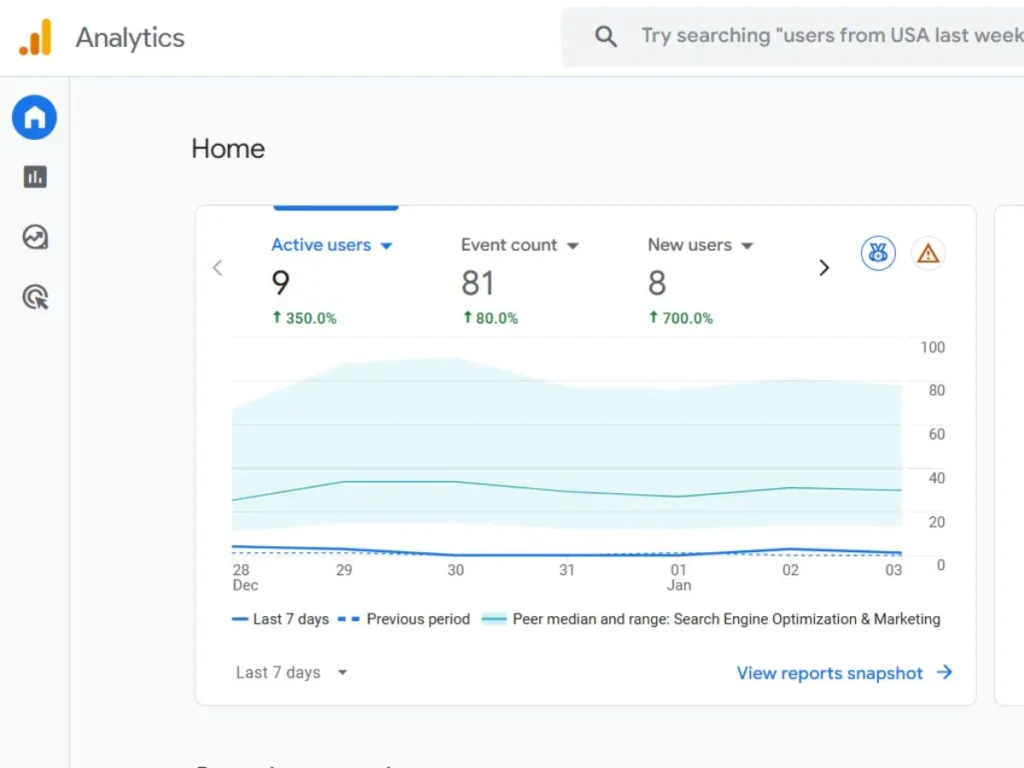
Event count in Google Analytics (GA4) means how many times an event happened on your website. In simple words, event count tells you how many times users performed a specific action on your website.
In GA4, almost everything is tracked as an event. When a user:
- Visits a webpage
- Scrolls the page
- Clicks any button
- Downloads a file from a page
- Watch a video
Let me explain with an example.
The GA4 event count is very simple. If 10 users visit your webpage and each user scrolls just once, the scroll event count will be 10.
If one user clicks a button 5 times, the click event count will be 5.
GA4 does not limit events to one per user. Just remember, GA4 counts every action, not every user. This is why event count numbers often look high.
Why Event Count Is Important in GA4
Event count helps you understand how users interact with your website. Here are the following points why it matters:
- It shows which actions users perform the most
- It helps track engagement, not just visits
- It supports conversion tracking
- It helps improve content and page design
For example, if a button has a very low click event count, it may mean users are not noticing it or don’t find it useful. Instead of this, we can use high CTA or something interesting content on our website so users can increase their activity.
How Event Count Works in Google Analytics (GA4)
This is important to know how actual event counts work in GA4. Let’s understand it with the following steps:
- A user visits your website
- The user performs an action (something like scrolling or clicking)
- GA4 records this action as an event.
- The event count increases by 1
Common Types of Events Count in Google Analytics
Here are some common events you will see in GA4 and how their event count works.
Page_view
Every time a webpage loads, GA4 increases the page_view event count.
Scroll
If a user scrolls 90% of a page, GA4 counts it as one scroll event.
Click
Each click on a tracked link or button increases the click event count.
File_download
When a user downloads a PDF or file, GA4 adds one event count.
Video_start
When a video starts playing, the event count increases.
The above are examples to help you understand how Google Analytics event count reflects real user actions.
Also Read: How Local SEO Can 10x Your Business Growth in 2026
Difference Between Event and Event Count in GA4
Many people confuse these two terms. But both have different meanings.
- Event: It is the action name, like click, scroll, page_view, etc.
- Event Count: It means how many times the event happened.
How to Check Event Count in GA4 (Step-by-Step)
You can easily check the event count in GA4 by following these steps:
Step 1: Log in to your GA4 account
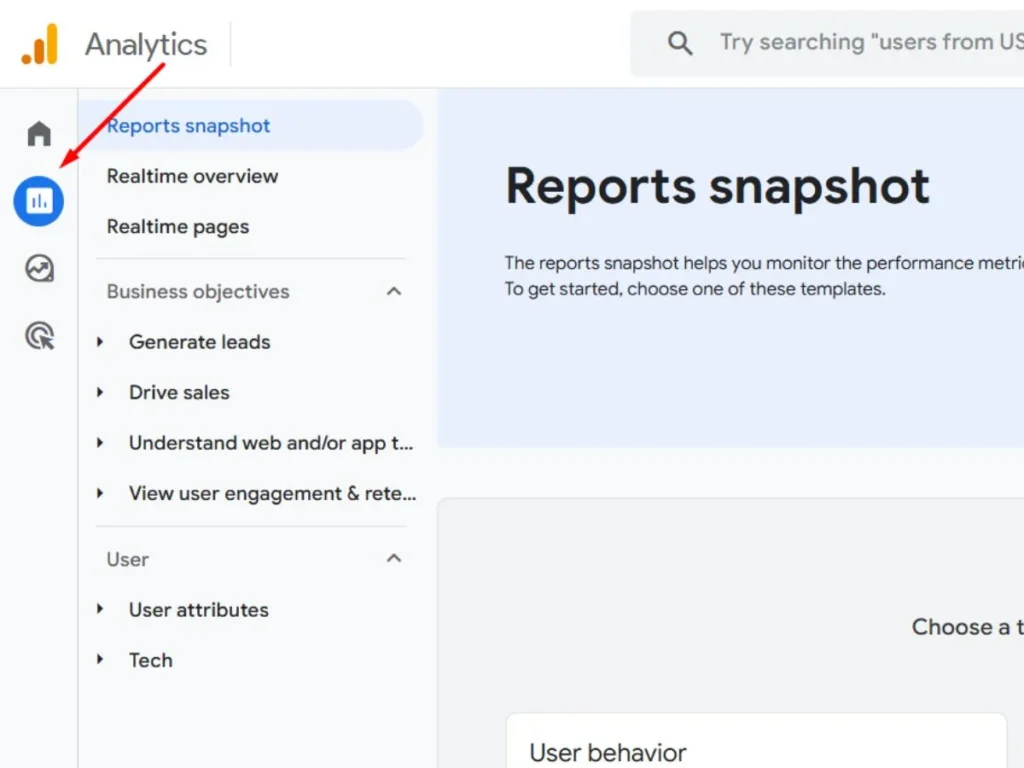
Step 2: Go to Reports
Step 3: Click on Engagement
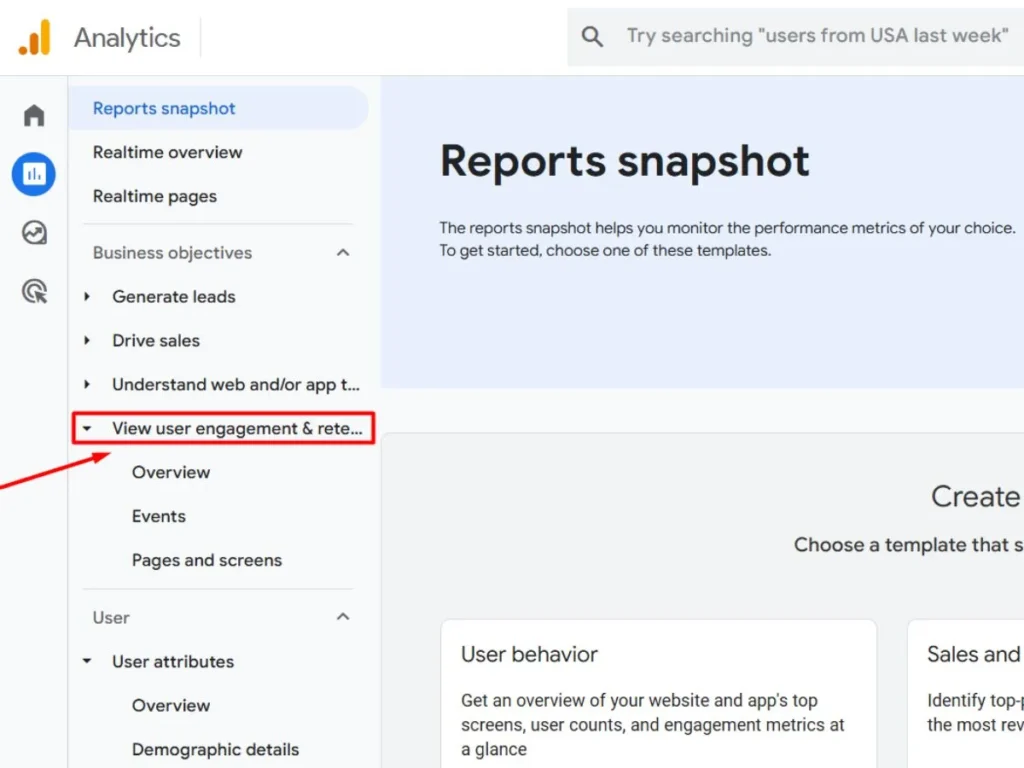
Step 4: Select Events
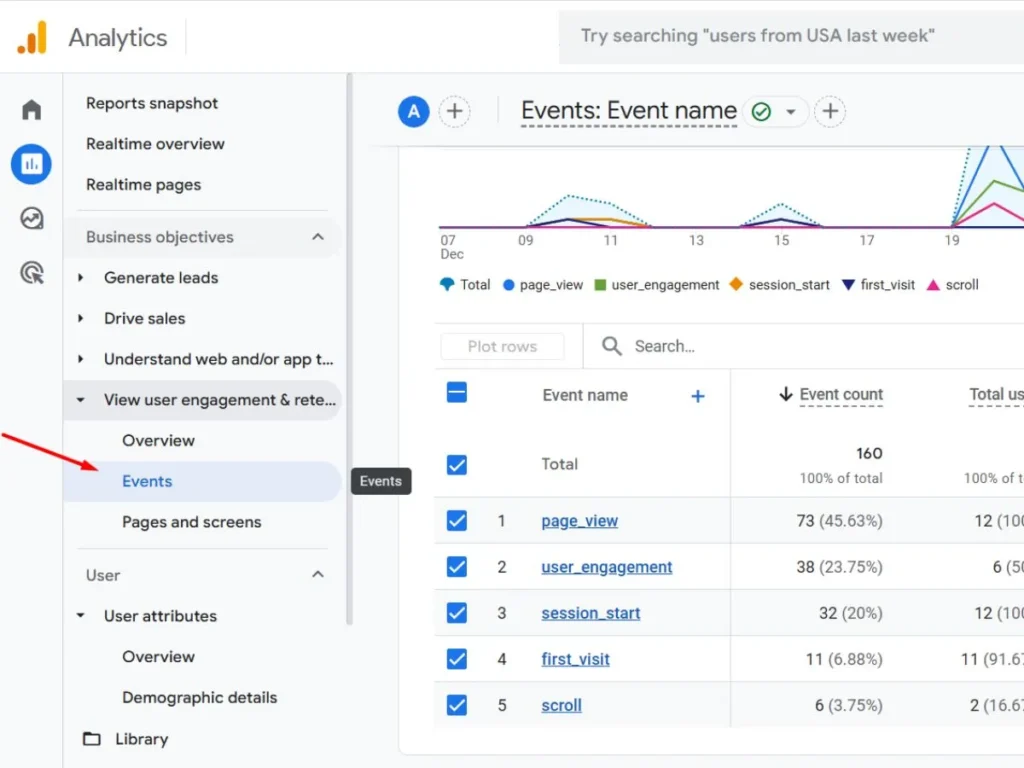
Step 5: Check event name and view the event count number
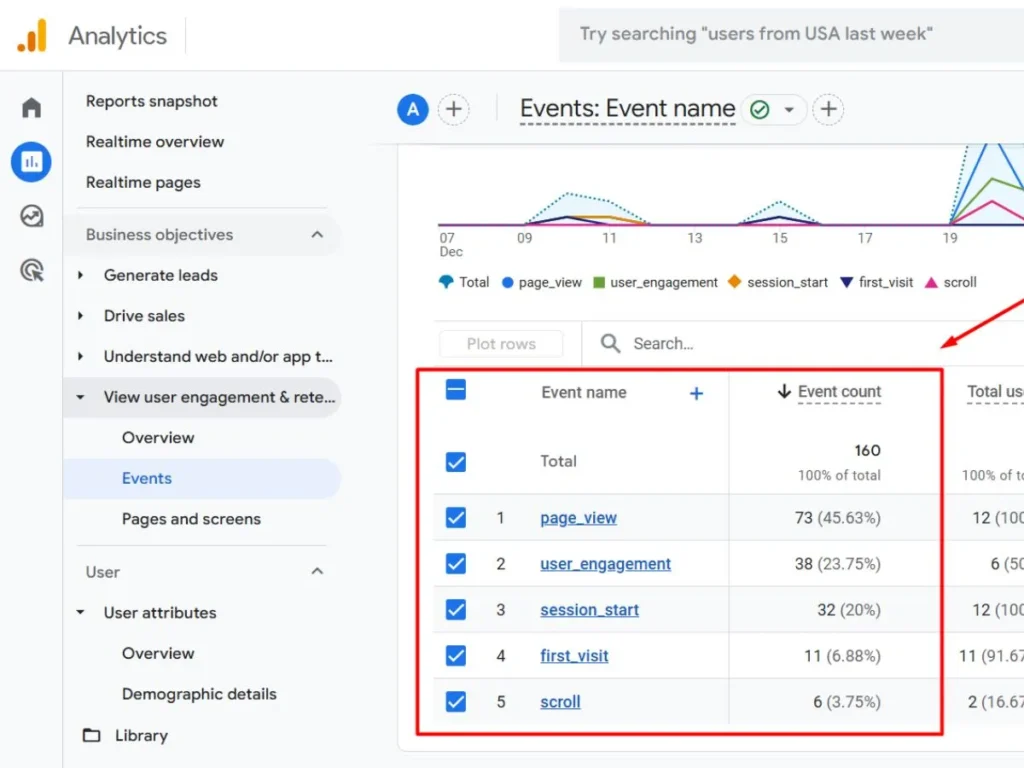
Event Count vs Total Users in GA4
This is another common confusion.
- Event Count shows how many times an action happened.
- Total Users shows how many users performed that action.
Let assume
- Event count is 100
- Total users are 20
This means 20 users triggered the event, but the event happened 100 times. So one user can increase the event count many times.
Common Mistakes People Make with Event Count
GA4 works differently, so a higher event count usually means more engagement, not an error. Many users misunderstand event count because of the following mistakes:
- Expecting event count to match user count
- Comparing GA4 event count with Universal Analytics pageviews
- Thinking high event count is always bad
- Ignoring event parameters
How Event Count Helps in SEO and Marketing
GA4, AI SEO, and modern search tracking are closely connected. Event count is useful for both SEO and marketing decisions. The following data helps improve content, layout, and conversion rates.
For SEO:
- Track scroll depth on blog posts
- Check engagement on landing pages
- Identify the pages users interact with the most
For marketing:
- Measure button clicks
- Track form submissions
- Understand user behavior
Conclusion
Now you clearly understand what event count in Google Analytics is and how it actually works. Event count simply shows how many times users perform actions on your website.
It is a powerful metric to track engagement, user behavior, and performance. Instead of worrying about high numbers, focus on understanding what actions users are taking and how you can improve their experience using GA4 data.
FAQs About Event Count in GA4
Is event count the same as pageviews?
No. Pageviews are just one type of event in GA4. Event count includes all events.
Why is event count higher than users?
Because one user can trigger the same event multiple times.
Is event count important for SEO?
Yes. It helps measure user engagement on your content.
Can the event count be reduced?
Only if you fix duplicate or unnecessary event tracking.
What is a good event count?
There is no fixed number. It depends on your website type and goals.