

If Google is not indexing your pages, it means your content is not appearing in Google search results.
Even after publishing a blog, many website owners face this issue. Because of this, traffic does not come, and rankings do not grow.
According to Google Search Console data, many websites have 10–30% of their pages not indexed, even after proper submission. This is a very common technical SEO issue faced by new and growing websites. Google has also explained that indexing depends on content quality, crawl signals, and site structure.
Blog Objective
The main objective of this blog is to explain the real reasons why Google is not indexing pages and how you can solve these issues step by step. You will learn how to check whether your page is indexed or not, common indexing problems, and practical fixes that work for both new and old websites.
How to Check If Google Has Indexed Your Page
Before fixing anything, you should first check if Google has indexed your page or not.
Step 1:
site:URL Method
Go to Google and type “site:yourwebsite.com/page-url”
For example, if I check my website:
site:https://marketingwithdishant.com/how-to-rank-your-website-in-ai-search/
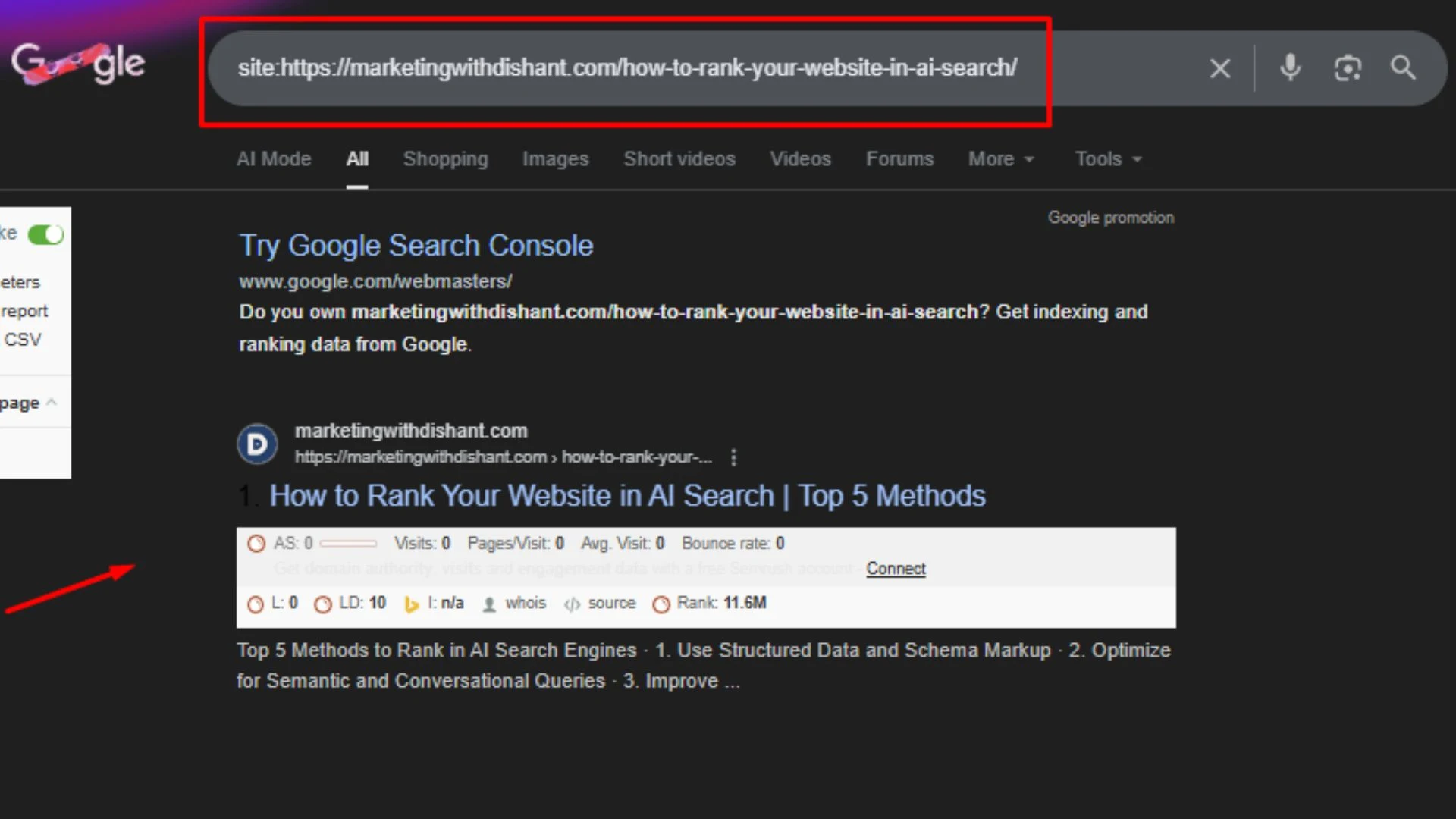
If your page appears in the results, it means Google has indexed it. If nothing shows, the page is not indexed.
Step 2:
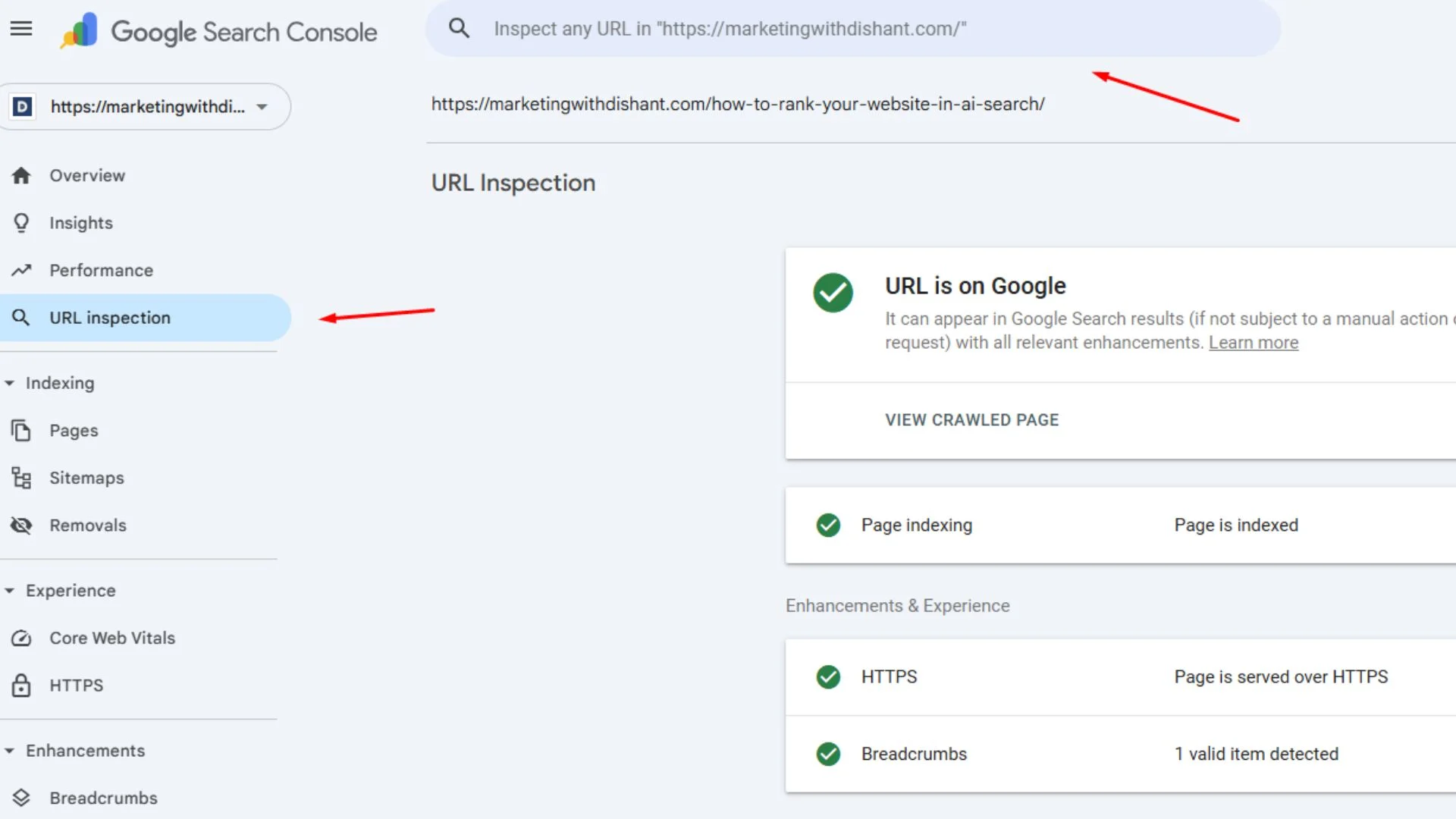
URL Inspection Tool
Open Google Search Console and paste your page URL in the URL Inspection tool. It will clearly show whether the page is indexed or not, and if there are any issues present in your webpage.
Step 3:
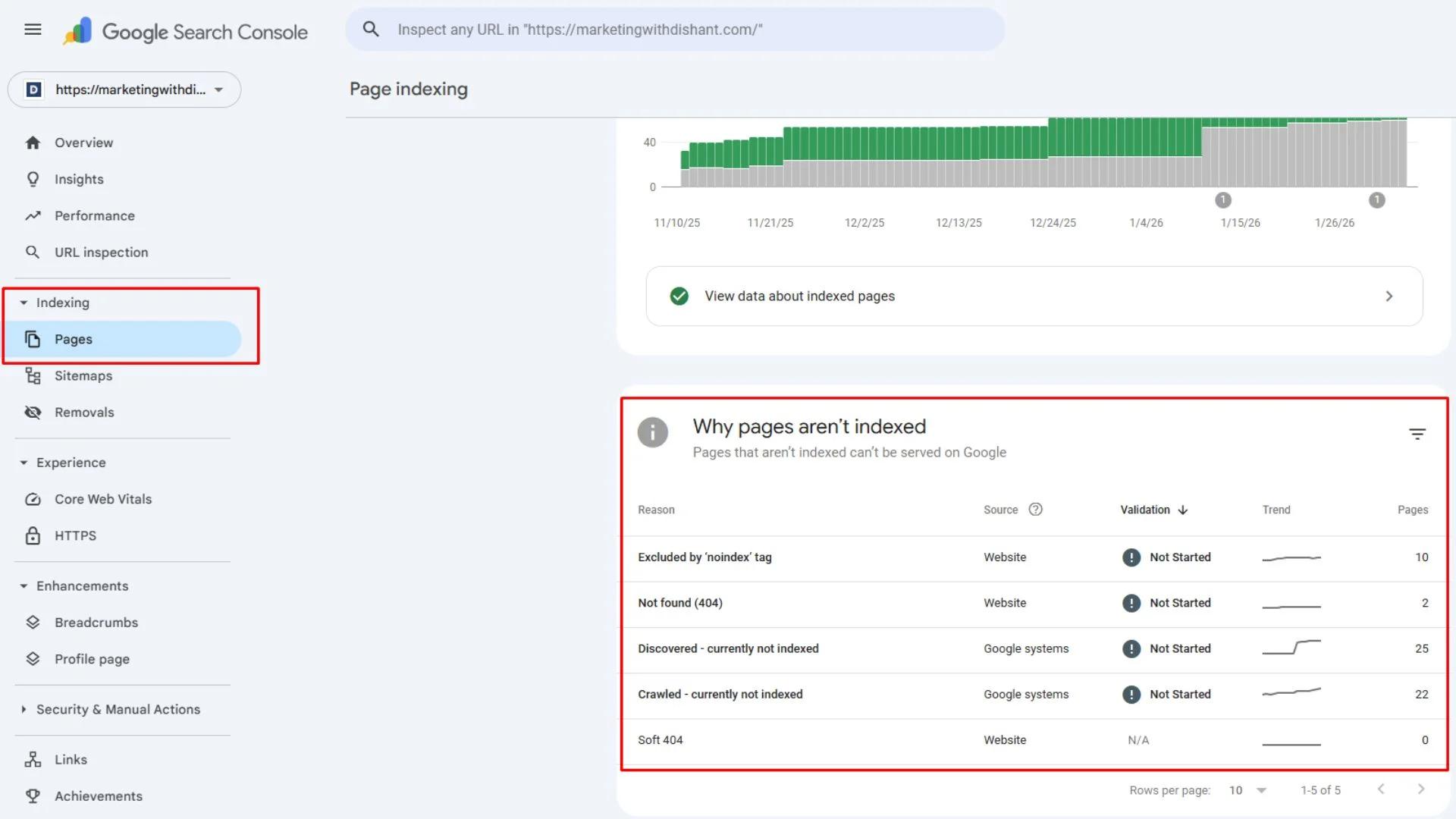
Coverage Report
In Google Search Console, go to the Pages/Coverage report section. Here you can see indexed pages, not indexed pages, and errors related to indexing.
Common Reasons Why Google Is Not Indexing Pages
Here are the main reasons why Google is not indexing pages. You need to check and verify every step for your website.
Page Is Marked as “Discovered – Currently Not Indexed”
This error means Google knows about your page but has not indexed it yet. It usually happens when Google thinks the page has low-value content or the site has some crawling issues.
Low Crawl Budget or Poor Crawl Efficiency
If your website has many URLs and a weak internal structure (which means blog posts are not internally linked properly), Google may not crawl all pages. Low crawl budget or poor crawl efficiency can stop Google from indexing important pages.
Thin or Low-Quality Content
Pages with very little content, copied content, or no clear purpose are often ignored by Google bots. Thin content is a common reason why Google is not indexing pages.
No Internal Links to the Page
If a page has no internal links, Google may not find it easily. These pages are called orphan pages, and they often stay unindexed.
Noindex Tag or Robots.txt Blocking
Sometimes pages are blocked by mistake. A noindex tag or a wrong robots.txt rule can tell Google not to index your page.
New Page or New Website
If your website or page is new, Google needs some time to review and index your pages. New pages are not indexed instantly, and this is completely normal.
How to Fix Google Indexing Issues (Step-by-Step)
Here are simple steps you can follow to fix Google indexing issues.
Improve Content Depth
Make sure your page gives clear and helpful information. Add proper examples, headings, and useful answers. If your content is better and helpful, it will increase indexing chances.
Add Internal Links
You can link your new pages to related blogs. Internal linking helps Google discover and crawl your pages faster.
Submit URL in Google Search Console
Use the URL Inspection tool and click on Request Indexing. Then click on “Test Live URL” option. This helps Google notice your page quickly.
Fix Noindex Tag or Robots.txt
Check your webpage source code and robots.txt file. Remove any noindex tag or blocking rule if it was added by mistake.
Update Sitemap
You need to make sure that your XML sitemap is updated and submitted to Google Search Console. A sitemap helps Google bots to find all your important pages in one place.
FAQs About Google Indexing Issues
Why is Google not indexing my new pages?
Google may not index new pages because the site is new, the content is thin, or there are no internal links pointing to the page.
Can a page be indexed but not rank?
Yes, a page can be indexed but still not rank if competition is high, content is weak, or SEO is not done properly.
Does submitting a sitemap guarantee indexing?
No, submitting a sitemap does not guarantee indexing. It only helps Google discover pages faster.
How often does Google crawl a website?
Google crawl frequency depends on website quality, update frequency, internal linking, and crawl budget.
How long does Google take to index a page?
It usually takes a few hours to a few weeks, depending on the crawling and website quality.
Can internal linking help Google index pages faster?
Yes, strong internal links help Google discover pages easily. It helps Google bots to check all webpages in one place.
Does low traffic affect Google indexing?
Traffic doesn’t matter directly, but your webpages content quality and crawl signals can affect it.
Can duplicate content stop Google from indexing a page?
Yes, Google can ignore duplicate content or very similar pages.